
Claude Code had a working version of my Chrome extension, Inkflip, 68 minutes after my first message. The next night I asked it to test on real pages. It picked 73, found nine bugs and fixed all of them in 70 minutes, without another message from me. A day and a half after I started, Inkflip was in the Chrome Web Store's review queue.
Inkflip darkens the images Dark Reader leaves white. I set the goal and the quality bar and made the product calls, and Claude Code did the research, the code, its own eval set, the field test and the releases. This post covers the thinking behind it, the eval Claude Code built to check every change, and how it shipped.
The problem
I use Dark Reader, the extension that puts every website in a dark theme. One night I opened a LeetCode problem. The text and the editor were dark, but the example diagram was a white square, bright enough to light up my desk.
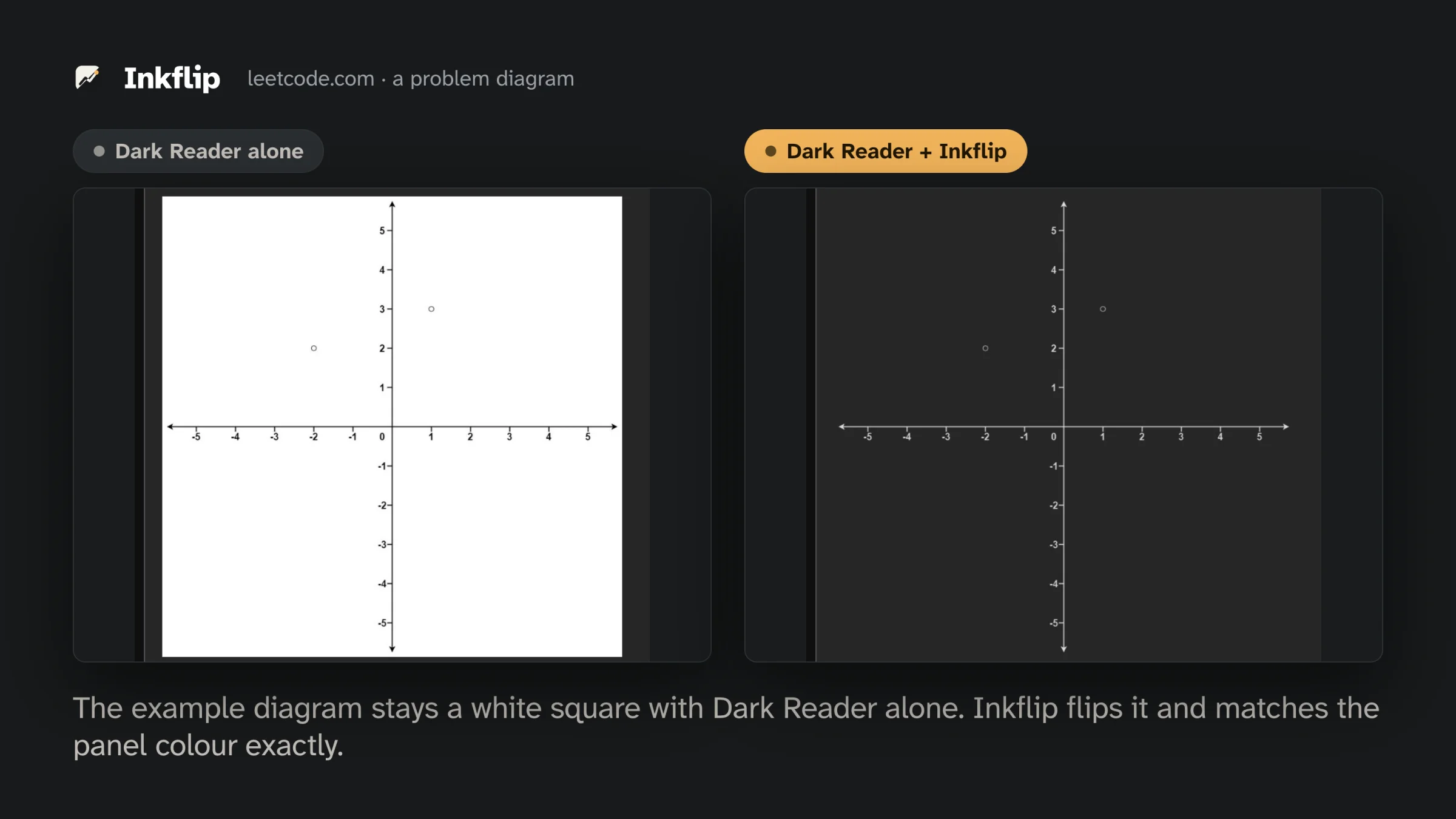
I asked Claude Code to look online for an existing extension that fixes this and, if there wasn't one, to design one. It came back with why the gap exists. Dark Reader recolours a page by rewriting its CSS, and the white background of a diagram is pixels inside the image file, which CSS colours don't touch. People have asked Dark Reader for an automatic fix since 2019 (#1122, #1746). It also checked the extensions that exist. Image Dimmer only dims, Deluminate's smart mode skips JPEGs, and Night Eye and Midnight Lizard replace Dark Reader instead of working next to it.
Thinking before code
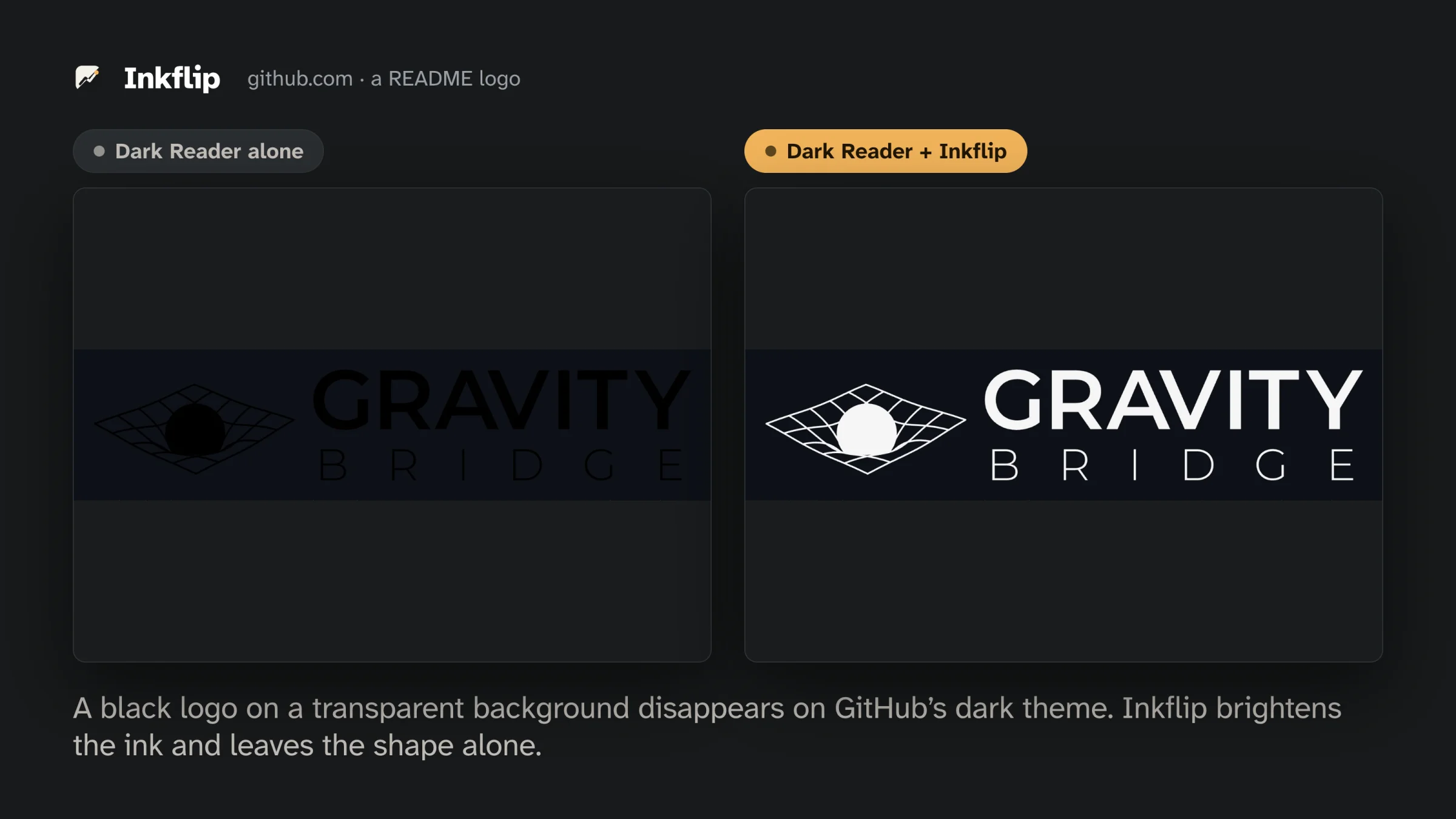
The design Claude Code wrote rests on one rule, flip diagrams and never flip a photo. If Inkflip misses a diagram, the page looks the way it does today. If it flips a photo, the photo looks like a film negative. Inkflip samples each image and makes one of four calls. It flips diagrams drawn for white paper, brightens black logos on transparent backgrounds, dims photos on white a little, and leaves everything else alone. When the numbers are close, it only dims or does nothing.
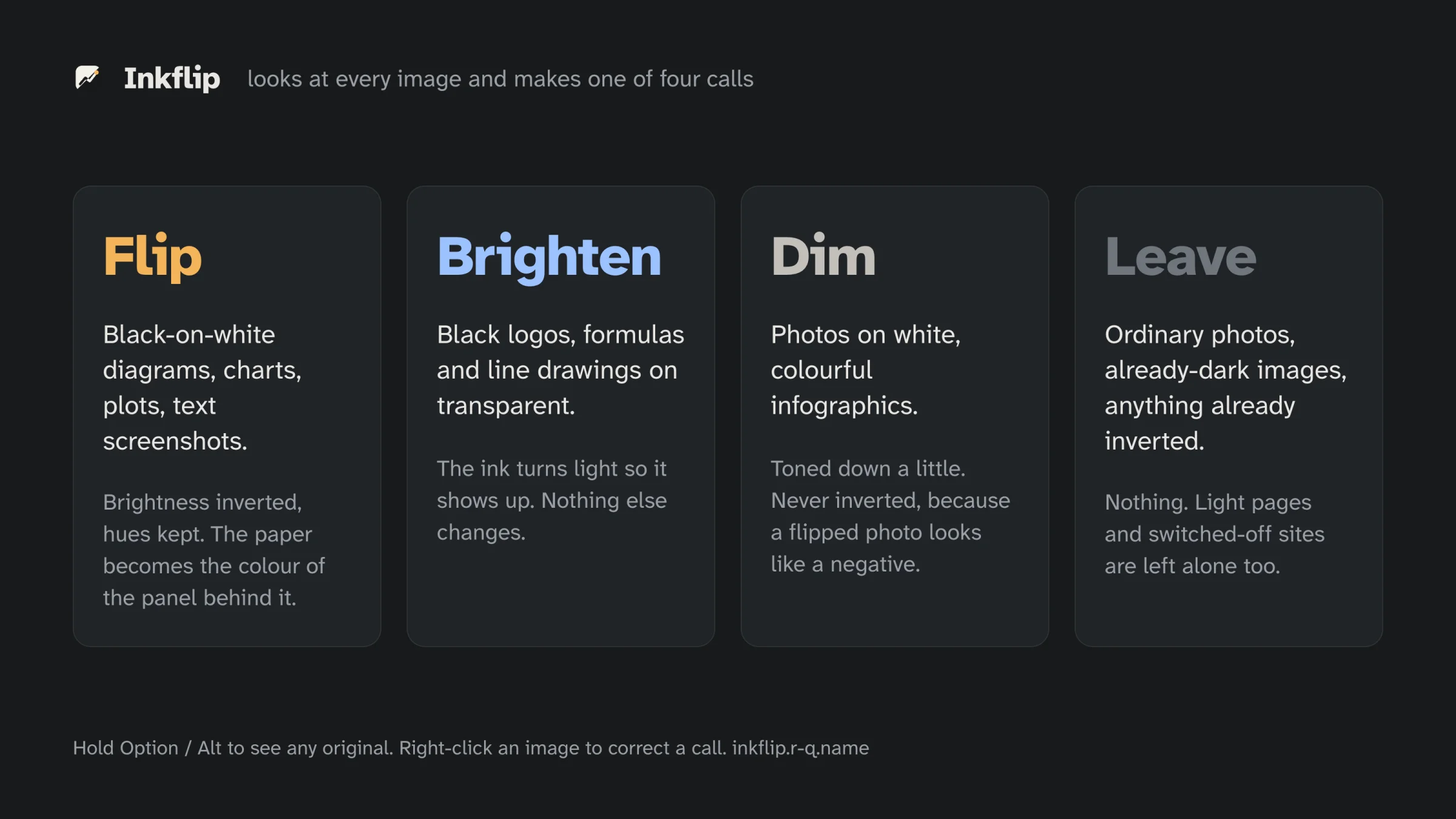
The signal that keeps photos safe is smoothness, the share of soft gradients between neighbouring pixels. Photos are full of them, and diagrams have almost none. A flipped diagram also has to match the panel behind it. Inkflip finds the colour actually painted there with document.elementsFromPoint(), inverts the image only partway, and blends it in with mix-blend-mode: lighten. It also hides each new image until it has been checked, so diagrams never flash white.
An eval the AI built for itself
It worked on LeetCode, but that was one page. I asked Claude Code to find test pages in what people had complained about online. It sent two subagents through Dark Reader's issue tracker, Hacker News, Reddit and Stack Overflow Meta, and picked 73 real pages from what they found, plus photo-only pages as controls.
Then it wrote a field test. The test loads every page in Chrome with Dark Reader and Inkflip, takes before and after screenshots, and counts any white frames on screen. It pulled 393 images from those pages onto contact sheets, looked through every sheet, and wrote down the right call for each image. That gave it an eval set, and every change since has been scored against all 393.
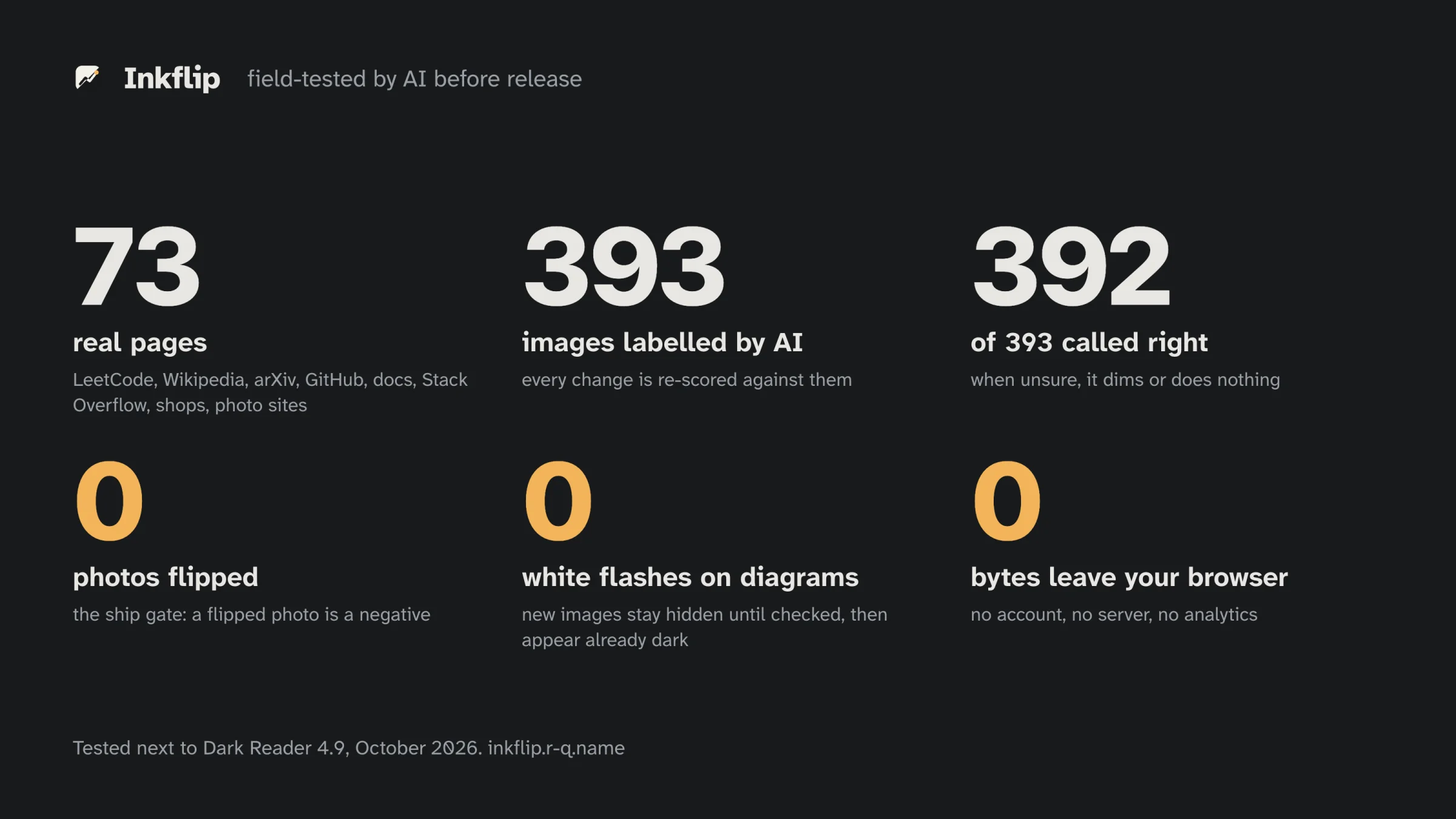
The first run found nine bugs. White IKEA bookcases were flipped into dark ones, every Stack Overflow image was skipped because its host refuses requests without a Referer, and transparent diagrams like the Transformer figure from "Attention Is All You Need" were left unreadable. Claude Code fixed all nine and committed 0.2.0 without another message from me. On the 393 images, the first version had 353 right and flipped 7 photos. Version 0.2.0 had 389 right and flipped none.
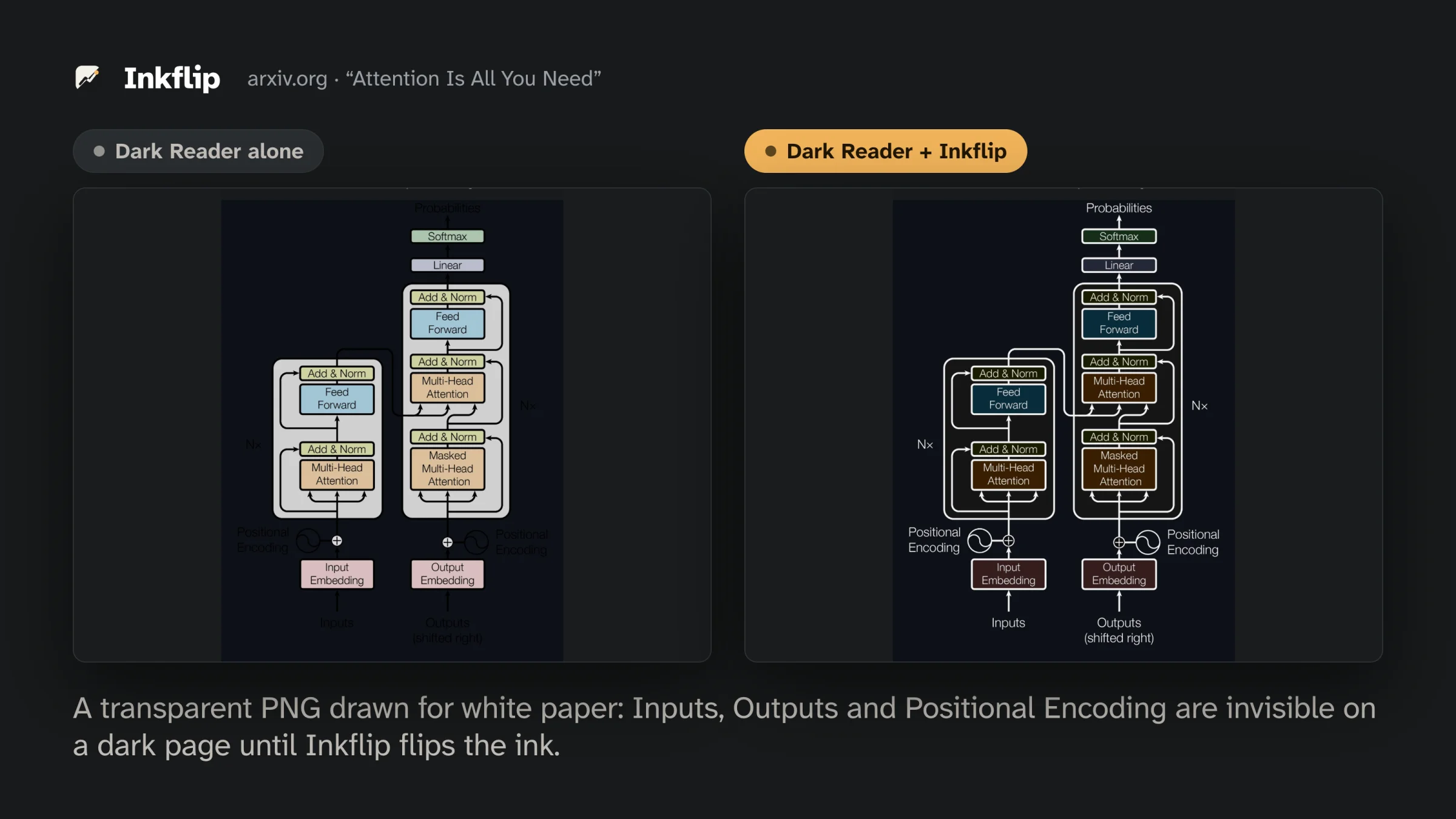
389 wasn't good enough for me, so I asked why it stopped there. It kept its labels as they were, since relabelling would only hide the bugs, fixed the code instead, and reached 392. Without being asked, it also built a stress test of 240 black-and-white and sepia photos, which no rule had covered yet. That test caught an older bug that could flip such photos into negatives, and it fixed that too. The one image it still gets wrong, a black-and-white waveform, is dimmed instead of flipped.
Shipping it
Claude Code also did the shipping. It created the GitHub repo, published three releases, and built and deployed the website, store listing and store screenshots. I submitted Inkflip to the Chrome Web Store and set up the domain myself, and the review passed in two days.
From the first day I used Inkflip myself and sent Claude Code what I ran into. Light cards stayed white on a site that is dark by itself, white logos on claude.com disappeared, and the live code previews on react.dev stayed bright. Each fix went into the next release. Inkflip now also handles PDF pages, charts that sites draw on <canvas>, Plotly's SVG charts, and the light boxes that dark sites paint themselves.
What I did
Those 64 messages came over 11 sessions. My goal was an extension people could install, built by Claude Code with as little input from me as possible. I made the scope calls, like adding canvases and a right-click menu, and I sent back the README and release notes until they read well.
Few of those messages were about code. Most were about which of its test cases were valid, whether 389 was enough, and whether the README would make someone install it. I'd bet that is where a person's time goes in AI-native building now.
Inkflip is on the Chrome Web Store for Chrome, Edge, Brave, Arc and other Chromium browsers. It runs entirely in your browser, and the code is MIT licensed.